Built for the purchase process at Sri JCBM College
Vendor Quotation Comparison System
Buying equipment for a college usually means collecting quotations from several vendors, comparing them line by line, and issuing a purchase order. Done in spreadsheets, the comparison is slow and easy to get wrong. This application keeps the quotations in one place and does the comparison for you.
At a glance
- Main developer of a Windows desktop app, completed and packaged with an installer in April 2026.
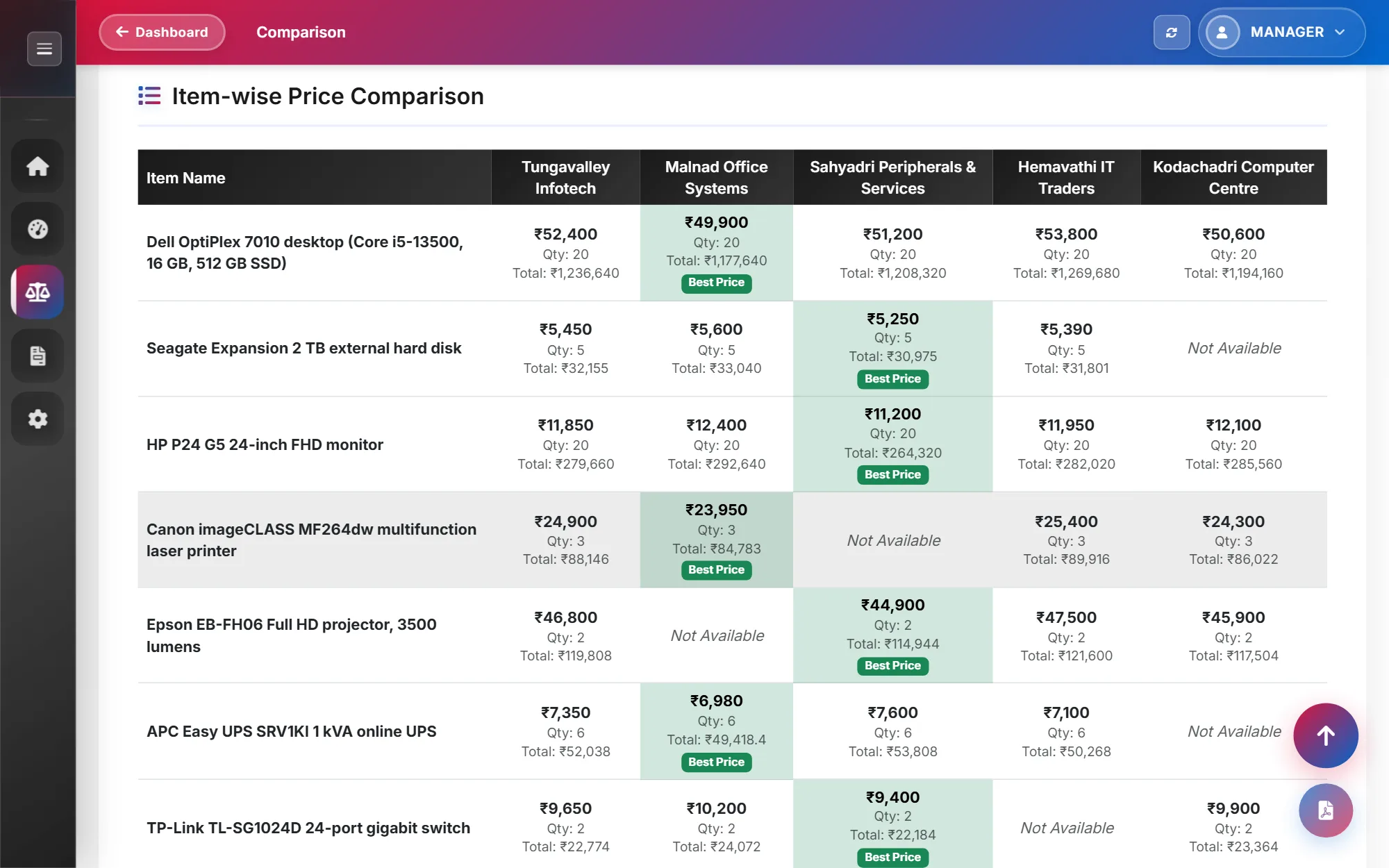
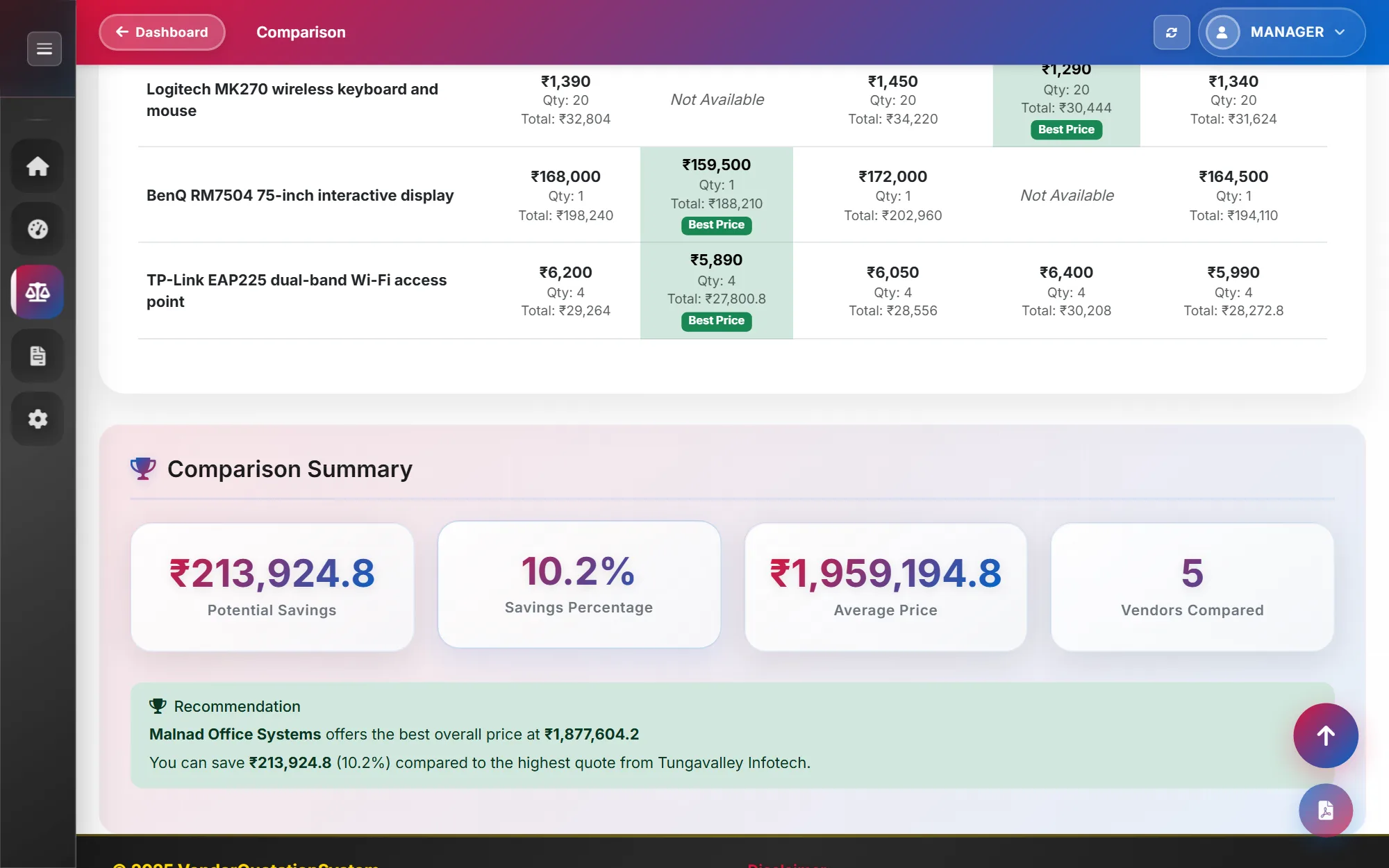
- Compares quotations by item and by vendor, marks the best price for every item, and recommends the cheapest mix of vendors.
- Generates purchase orders and PDF comparisons, with no server or internet connection needed.
- Who it's for
- College staff who handle equipment purchases
- Role
- Main developer in a six-person team
- Team
- Team of 6
- When
- October 2025 – April 2026
- Status
- Status: Completed
Packaged as a Windows desktop application with an installer.
- Built with
Context and problem
Each vendor sends a quotation in its own format, with its own item names, quantities and tax treatment. Comparing three or four of them means retyping everything into one sheet before any comparison can start.
Purchase orders then have to be prepared from the chosen prices, and earlier quotations and orders need to be found again later.
Objectives
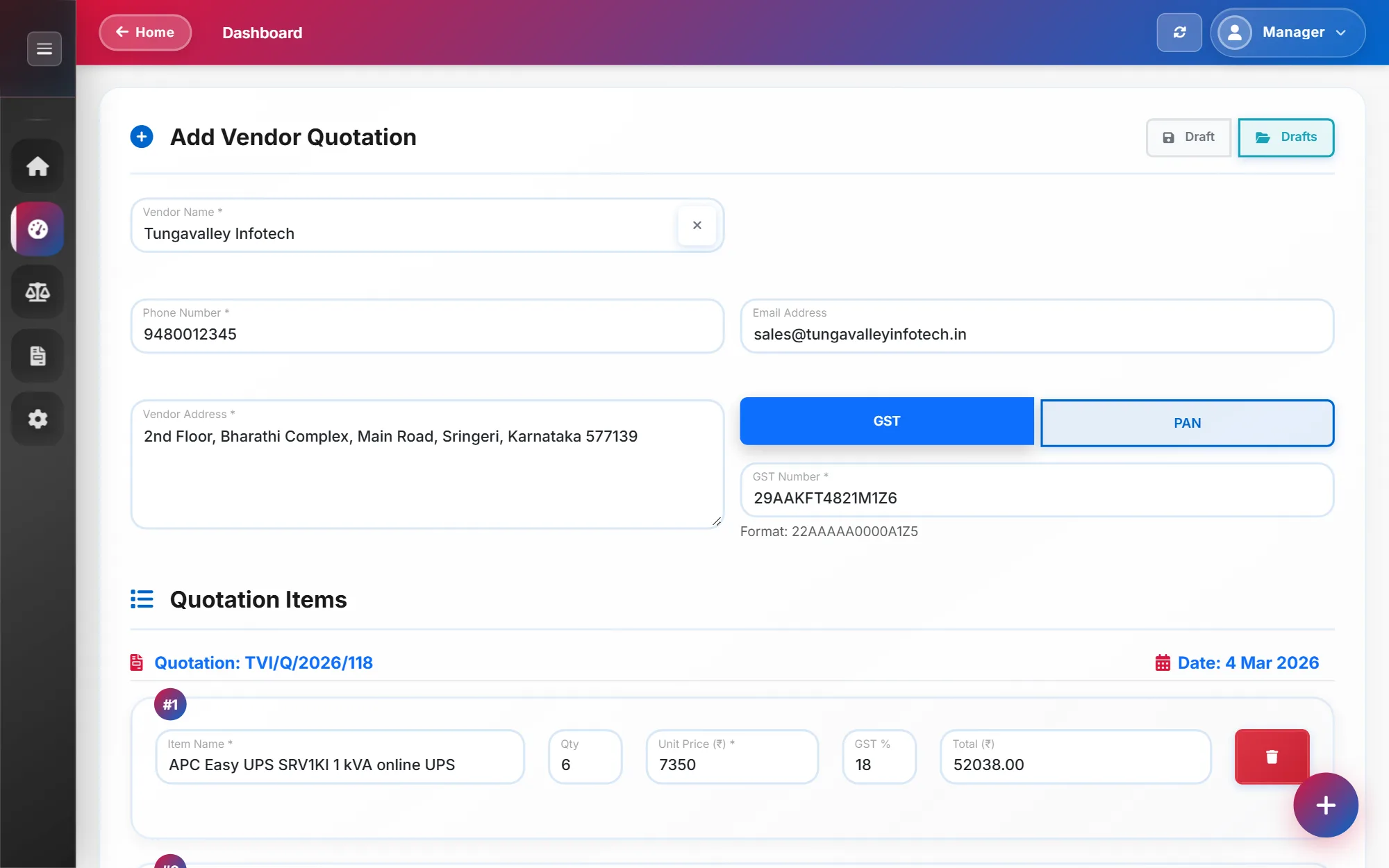
- Enter each quotation once, with items, quantities, unit prices and GST.
- Compare vendors side by side, either by item or by vendor.
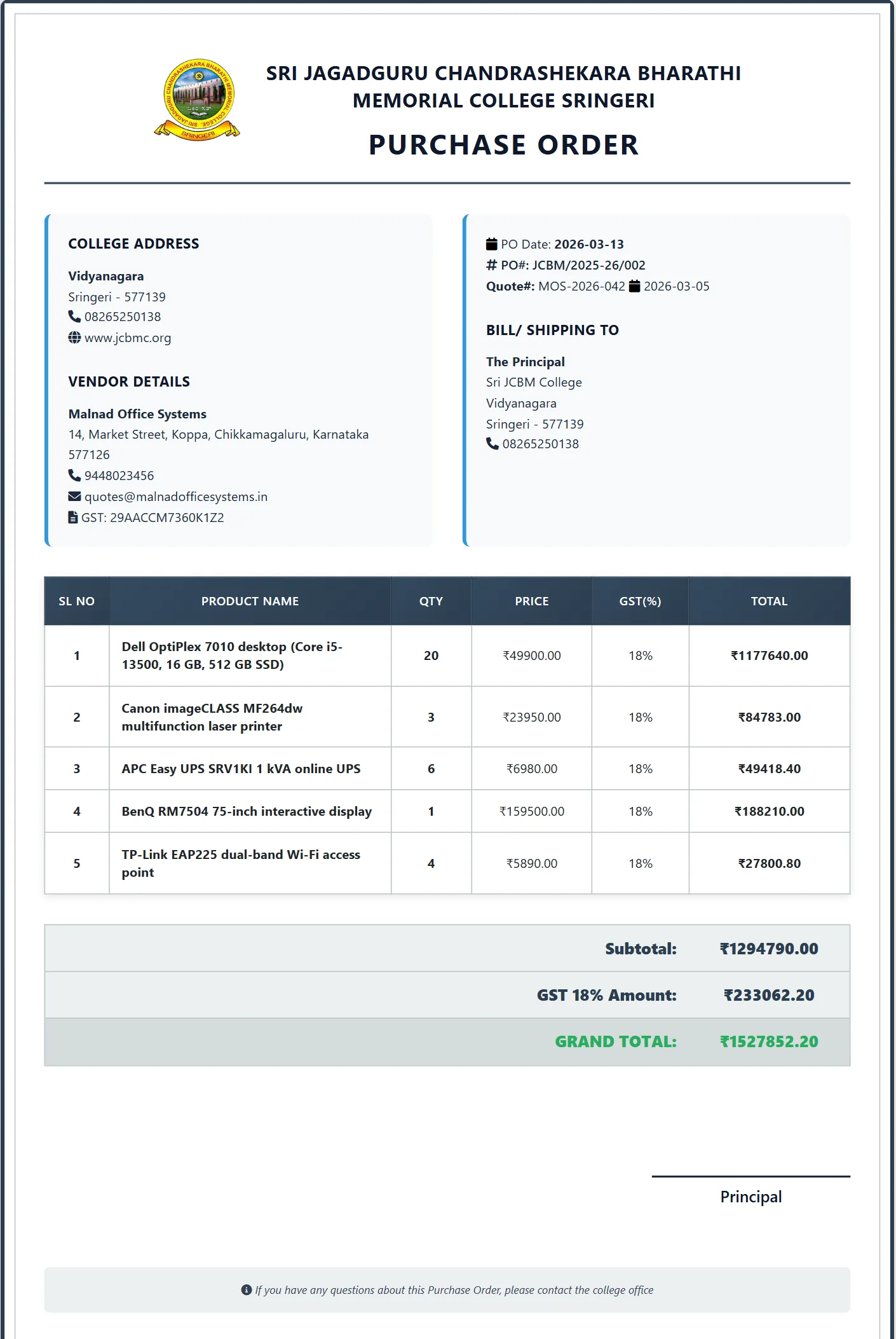
- Generate purchase orders and printable documents from the comparison.
- Run on an office PC without a server or an internet connection.
My role
Main developer in a six-person team
- A teammate started the project with a small Flask prototype. I rebuilt and extended it into the current application: the Flask backend, the data model, and the comparison screens, including best-price detection and the vendor recommendation.
- Built GST and PAN validation for registered and unregistered vendors.
- Built the backup and restore system and the desktop packaging with pywebview and PyInstaller.
- Two teammates also contributed code: the Excel export, purchase-order and print-preview updates, and dashboard changes.
Approach
The application is a Flask web app wrapped in a native desktop window with pywebview. That gave me HTML and JavaScript for a data-heavy interface, while the people using it simply open a desktop program.
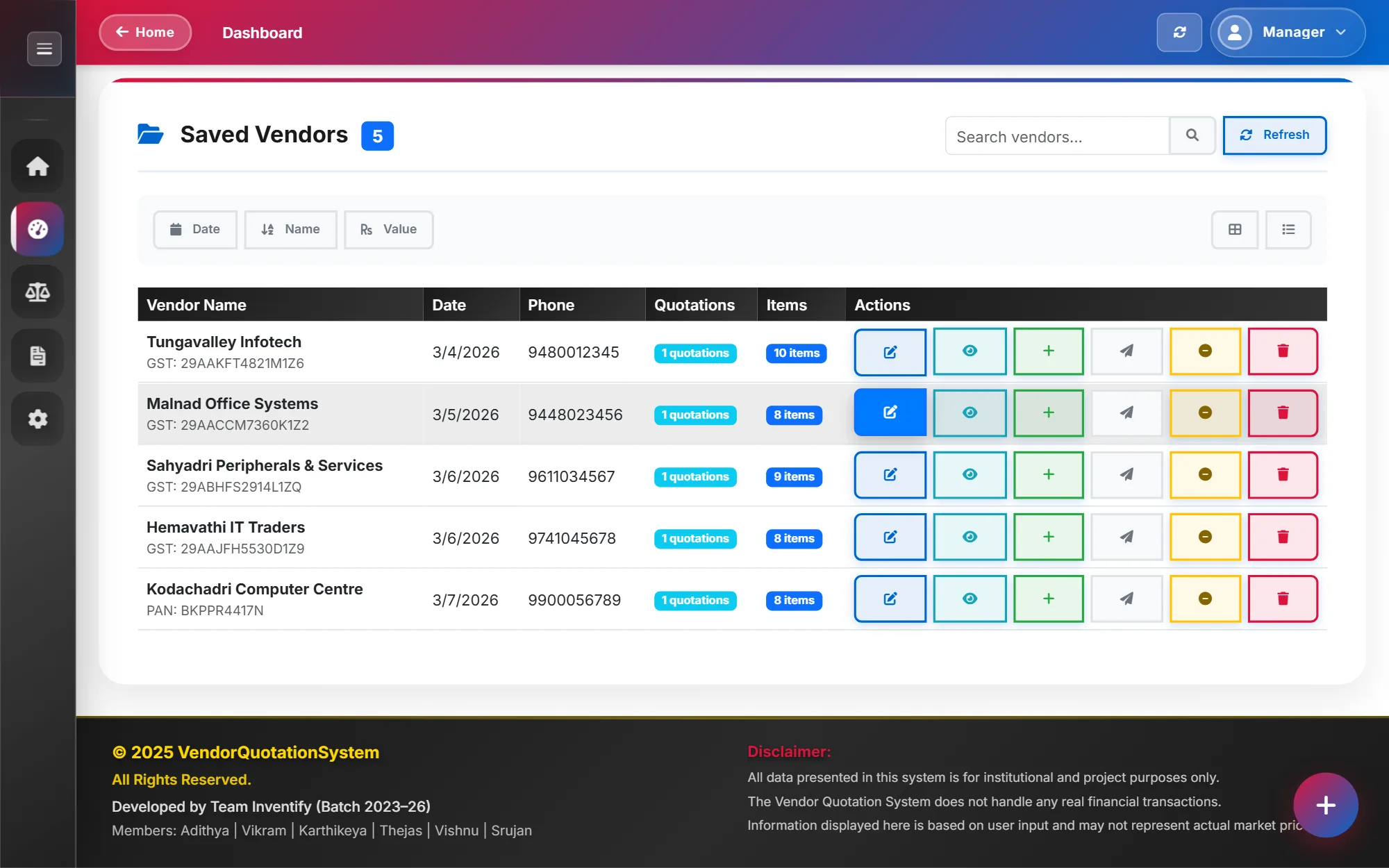
Vendors, quotation items, purchase orders and order items are stored in SQLite through SQLAlchemy. Deleting a vendor or a quotation moves it to a recycle bin first, so mistakes can be undone.
Architecture
- Backend
- Flask with SQLAlchemy models for vendors, items, purchase orders and order items.
- Interface
- Server-rendered templates with Bootstrap 5 and plain JavaScript for the comparison views.
- Desktop shell
- pywebview opens the app in a native window; the packaged build only accepts connections from the same machine.
- Data
- SQLite, with automatic and manual backups and restore.
- Distribution
- PyInstaller builds a Windows executable and an installer.
Challenges and decisions
Recommending a mix of vendors, not just the cheapest one
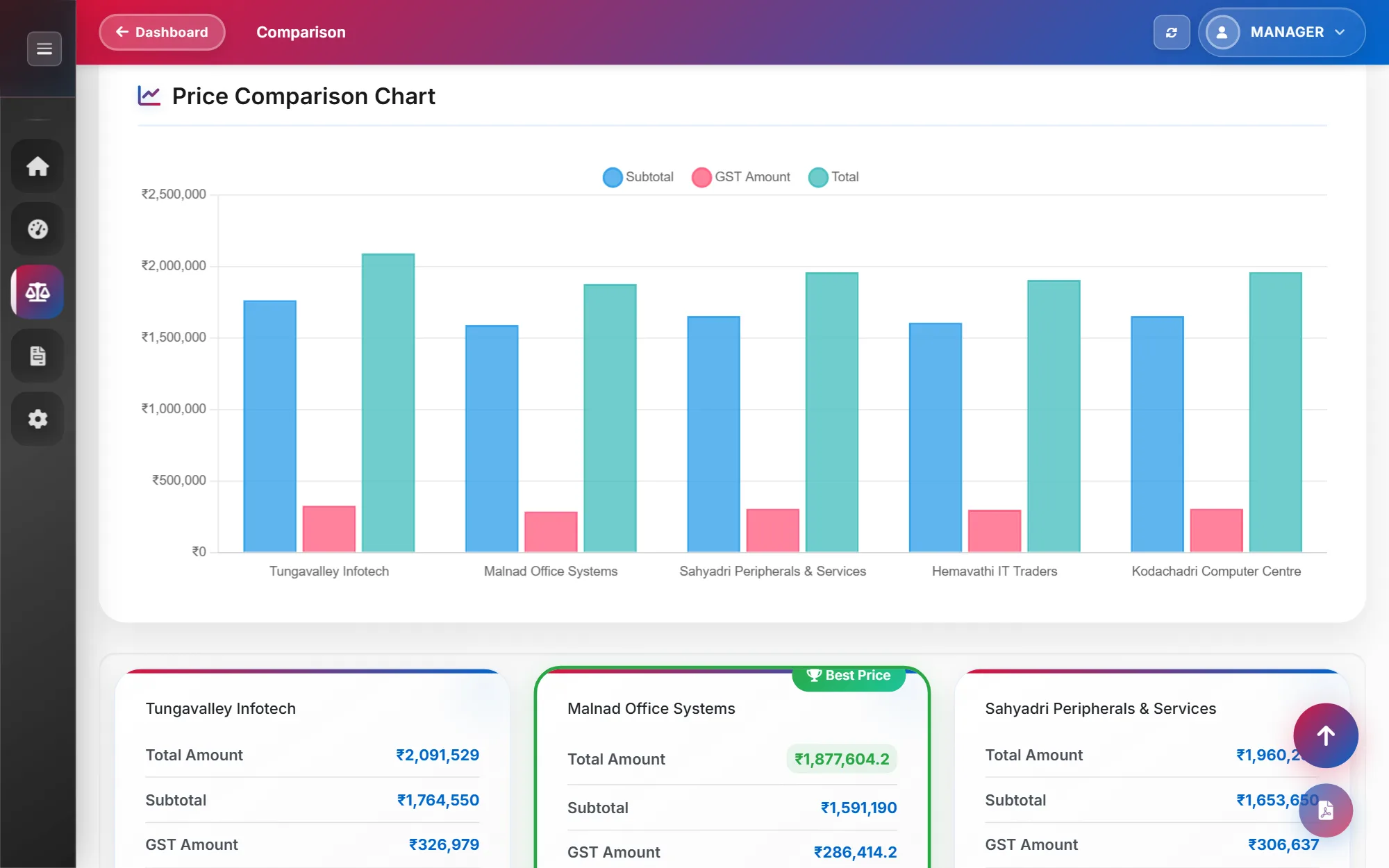
The vendor with the lowest total is rarely the cheapest for every item. The comparison marks the best price for each item separately, then recommends buying each item from the vendor that quoted it lowest, with the total cost of that mix. Comparing by vendor shows which single vendor is cheapest overall, and by how much. Items a vendor didn't quote are shown as Not Available, rather than being treated as free.
Desktop rather than hosted
The purchase data is internal and the office already works on Windows PCs. A packaged desktop app avoids hosting costs and accounts, and keeps the data on the machine that uses it.
Outcome and status
Implemented: quotation entry with drafts, comparison by item and by vendor, best-price detection and a mixed-vendor recommendation, purchase orders with cancel and restore, PDF export of comparisons, print previews, a recycle bin for vendors and quotations, and scheduled backups.
The application was completed and packaged with a Windows installer in April 2026.
Built for internal use, so there is no public demo or repository.
Lessons
What I learned
Packaging Python for Windows took far longer than expected: file paths, write permissions and bundled assets all behave differently once installed. I now test the installed build early, not just the development version.
Fixes made as one-off scripts are hard to track. On later projects I keep every fix in the codebase and its version history, where it can be reviewed and repeated.